
The Problem Space
At the Department of Environmental Engineering, Universitas Riau, organizing Proposal Seminars and Final Theses involved stacks of physical paperwork, spreadsheets for schedule coordination, and manual score tabulations on paper rubrics.
This manual pipeline created constant friction:
- The required documents are often misplaced, lost, or piled up on the lecturers' desks.
- The Final Project Coordinator is often overwhelmed when organizing seminar schedules and communicating those schedules to students and lecturers.
- The final grades are calculated individually on paper using predetermined weightings by the Thesis Coordinator
- External academic advisors enter grades through other platforms that are not yet integrated.
- Surat Undangan and Berita Acara must be processed through the faculty administration.
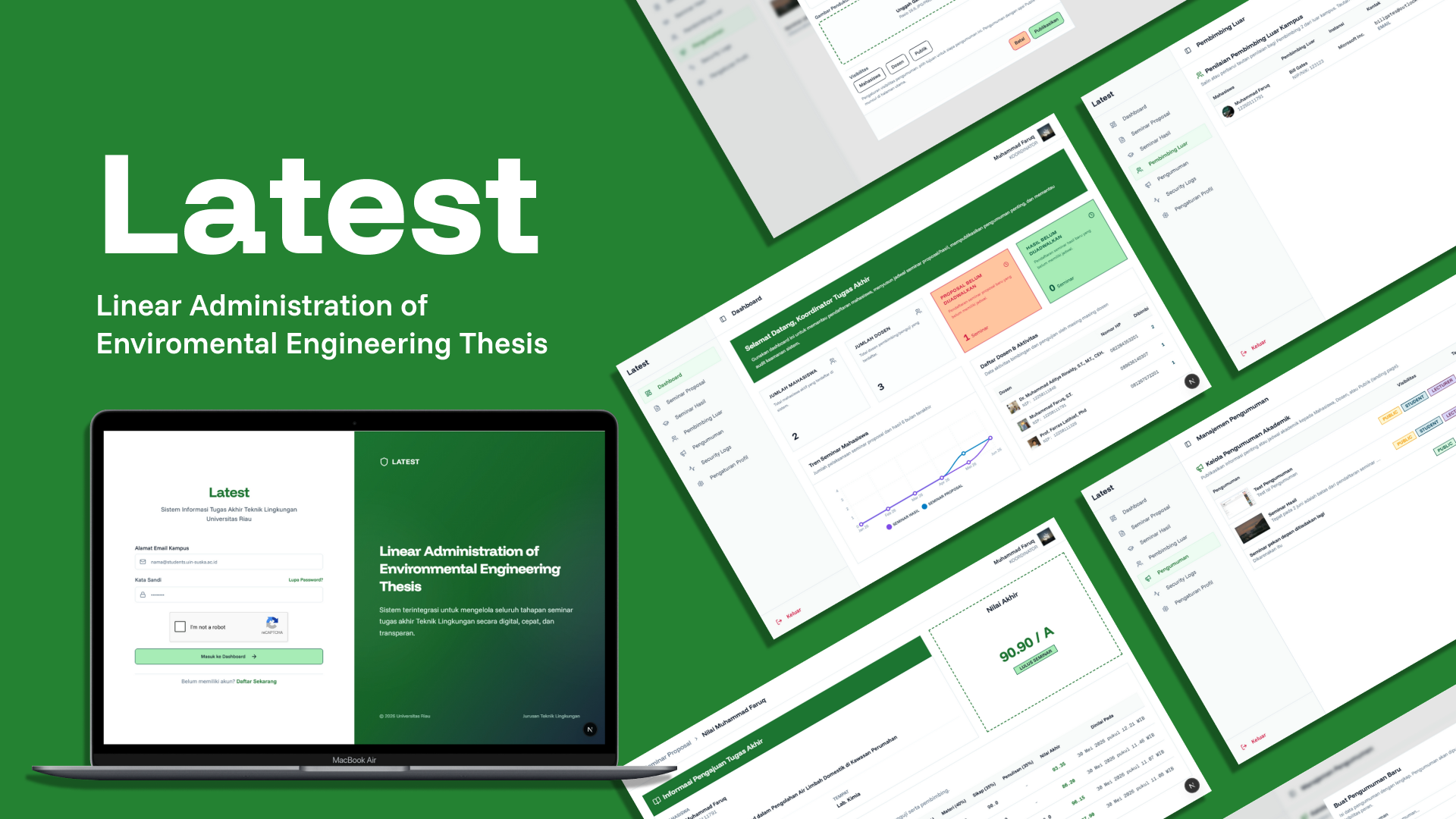
My two colleagues and I built Latest (Linear Administration of Environmental Engineering Thesis) to solve the above problem by automating it within this application
Final Project Administrative Process
The steps in this app are modeled after the steps in real life.
Phase 1: Submission by Students
Students enter their thesis titles and select their advisors. They then upload the required documents.
Phase 2: Scheduling by Coordinator
The coordinator will receive a list of students who have applied to present a seminar, then determine the time and location and select the examiners for the seminar.
Phase 3: Seminar
The students downloaded two documents (Undangan Seminar and Berita Acara) that were automatically generated, complete with QR codes to verify their authenticity, to bring to the seminar.
Phase 4: Score entered by the instructor (including the external advisor, if any)
Each instructor (advisor or examiner) enters grades based on different criteria and weightings.
For external advisors, grades are entered via an automatically generated link, so they do not need to create an account or log in to the application.
Technical Decisions
Instead of making things overly complicated, we focused on practical engineering choices:
Generating PDFs with Google Docs Instead of Heavy Server Tools
Usually, creating PDFs on a server requires running a hidden web browser (like Puppeteer), which uses a lot of server memory (RAM) and can slow down the website.
Instead, we used the Google Docs API:
- We created a standard Word template (
.docx) in Google Drive with placeholders like<<NAMA MAHASISWA>>and<<JUDUL PENELITIAN>>. - When a student requests a document, the server makes a quick copy of that template, fills in the student's data, adds a verification QR code, and exports it as a clean PDF.
- Once the PDF is downloaded, the temporary copy is deleted right away. This keeps the server fast and lets faculty edit the document template in Microsoft Word without touching any code.
Simple One-Click Links for External Advisors
Advisors from partner companies or government offices usually only grade one or two seminars a year. Forcing them to create an account, verify an email, and remember another password creates unnecessary hassle.
- We created a unique, temporary link for each external advisor.
- They simply open the link on their phone or laptop, enter their scores, and submit.
- For security, this link expires after 10 minutes if it hasn't been used yet. If needed, the coordinator can renew the link with a single click.
Smooth and Secure Logins
We wanted the application to be secure while ensuring users don't get logged out in the middle of their work.
- The app uses two digital keys: a short-term key for loading pages, and a long-term key saved securely inside the browser.
- Every time the short-term key expires, the browser quietly refreshes it in the background.
- This means students and lecturers stay logged in while actively using the platform, but their accounts remain protected against unauthorized access.